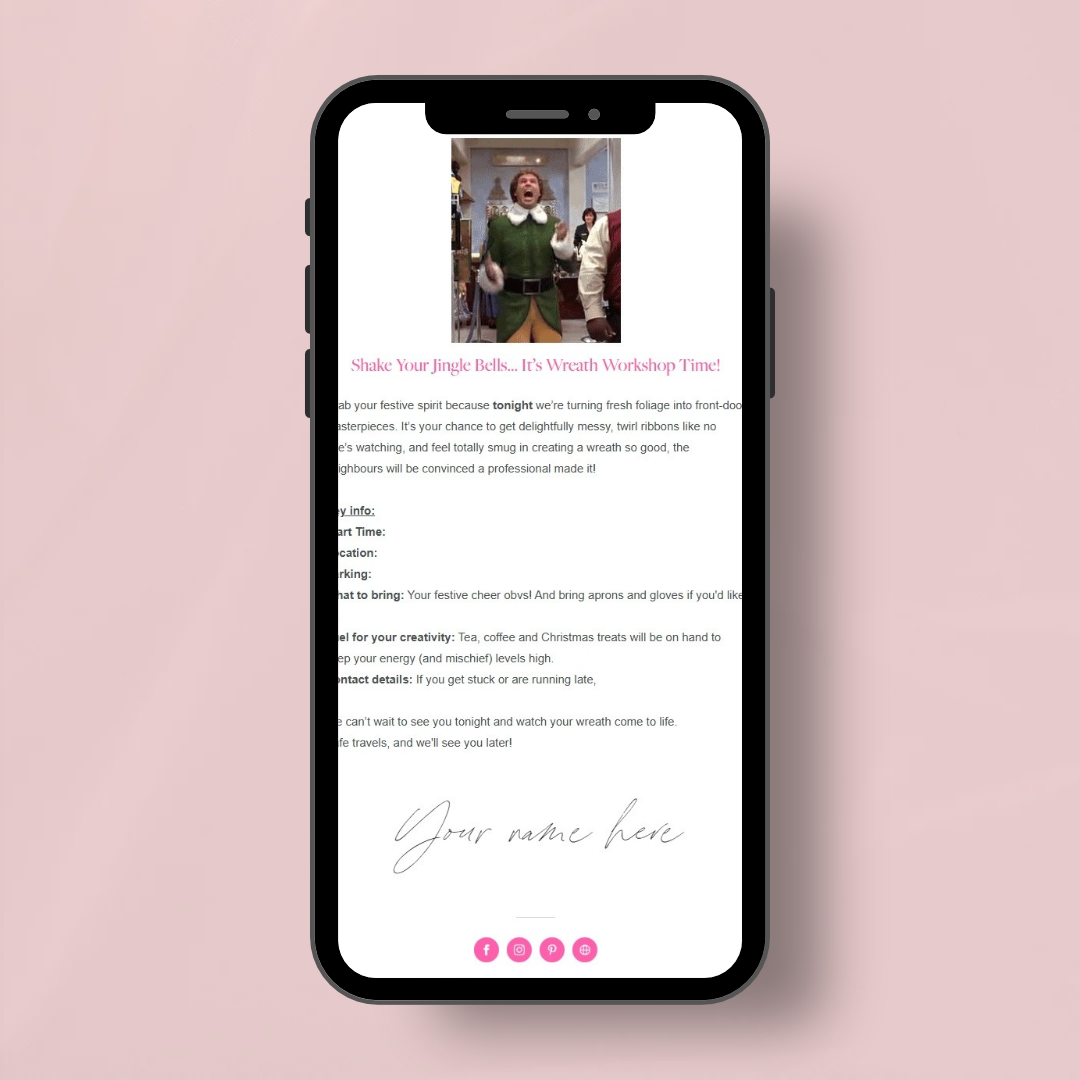
Give your Christmas wreath workshop customers all the information they need, at the right time, with this ready-to-use email marketing workflow designed specifically for florists.
A workflow is a series of automated emails that are sent at the right time, without you having to remember to send every message manually. It saves you valuable admin time, keeps your customers informed and creates a professional, well-organised experience from booking right through to their finished wreath and beyond.
You'll receive the ready-to-import Flodesk workflow plus the full email copy to use with other email platforms, including Mailchimp. So, whatever email provider you use, you can keep your workshop communications running smoothly.
The Welcome Email – Confirm their booking and share all the essential workshop details, with space to add your date, time, venue and any other important information.
The 7-Day Reminder – Give customers a helpful reminder of their upcoming workshop, including what they need to know and any preparations they should make beforehand.
The Workshop Day Reminder – Send a final reminder with those all-important practical details, helping everyone arrive prepared and ready to get started.
The Post-Workshop Review Request – Sent the day after your workshop, while the experience is still fresh in their minds, to encourage customers to leave you a review.
Wreath Care Tips – Share practical advice to help customers keep their handmade Christmas wreath looking its best for as long as possible.
The Post-Christmas Wreath Email – Let customers know what they can do with their wreath once the festive season has come to an end, including helpful aftercare and disposal guidance.
Each email is written in a clear, friendly and informative style, with the focus on useful information, thoughtful customer care and making sure nothing important gets missed.
No starting from a blank page. No wondering what to send, when to send it or whether you've remembered everything.
Once you've purchased the template which has a traditional an informative style of copy, you'll receive a link that adds the workflow directly to your Flodesk account. From there, you can duplicate it, personalise the email copy with your own workshop details, check your timings and settings, and publish it when you're ready. Or look through the PDF and copy and paste each emails writing into your own email platforms workflow.
A few minutes of setup now can save you hours of admin later. Your customers receive timely, helpful emails, and you can concentrate on preparing materials, conditioning foliage and getting everything ready for your workshop.
Allow around 10 minutes to personalise your workflow. The key areas that need your attention are highlighted in bold within the email copy, so you'll know exactly what to update.
You'll need to:
Add your own trigger segment.
Check and update your workshop details in the first three emails.
Set the time delays for the second and third emails to suit your workshop date.
Update the countdown timer in the second email.
Add your own Google review link to the review request email.
Give the whole workflow a final once-over, including checking that the wreath care advice matches your own recommendations.
Run Christmas wreath workshops and want their customer communications organised in advance.
Prefer a traditional, direct approach to workshop emails.
Want customers to feel informed, prepared and looked after at every stage.
Would like a more professional customer journey without adding another pile of admin to their to-do list.
Want to spend less time writing emails and more time doing what they do best: floristry.
You'll need a Flodesk account to use the clickable template link and import the workflow directly. If you use another email platform, you can copy and paste the supplied email text into your own system instead.
The emails are designed to be personalised to your business, workshop details and timings before you publish them. You'll also need to check that all information, links and settings are correct for your business.
Give your Christmas wreath workshop customers all the information they need, at the right time, with this ready-to-use email marketing workflow designed specifically for florists.
A workflow is a series of automated emails that are sent at the right time, without you having to remember to send every message manually. It saves you valuable admin time, keeps your customers informed and creates a professional, well-organised experience from booking right through to their finished wreath and beyond.
You'll receive the ready-to-import Flodesk workflow plus the full email copy to use with other email platforms, including Mailchimp. So, whatever email provider you use, you can keep your workshop communications running smoothly.
The Welcome Email – Confirm their booking and share all the essential workshop details, with space to add your date, time, venue and any other important information.
The 7-Day Reminder – Give customers a helpful reminder of their upcoming workshop, including what they need to know and any preparations they should make beforehand.
The Workshop Day Reminder – Send a final reminder with those all-important practical details, helping everyone arrive prepared and ready to get started.
The Post-Workshop Review Request – Sent the day after your workshop, while the experience is still fresh in their minds, to encourage customers to leave you a review.
Wreath Care Tips – Share practical advice to help customers keep their handmade Christmas wreath looking its best for as long as possible.
The Post-Christmas Wreath Email – Let customers know what they can do with their wreath once the festive season has come to an end, including helpful aftercare and disposal guidance.
Each email is written in a clear, friendly and informative style, with the focus on useful information, thoughtful customer care and making sure nothing important gets missed.
No starting from a blank page. No wondering what to send, when to send it or whether you've remembered everything.
Once you've purchased the template which has a traditional an informative style of copy, you'll receive a link that adds the workflow directly to your Flodesk account. From there, you can duplicate it, personalise the email copy with your own workshop details, check your timings and settings, and publish it when you're ready. Or look through the PDF and copy and paste each emails writing into your own email platforms workflow.
A few minutes of setup now can save you hours of admin later. Your customers receive timely, helpful emails, and you can concentrate on preparing materials, conditioning foliage and getting everything ready for your workshop.
Allow around 10 minutes to personalise your workflow. The key areas that need your attention are highlighted in bold within the email copy, so you'll know exactly what to update.
You'll need to:
Add your own trigger segment.
Check and update your workshop details in the first three emails.
Set the time delays for the second and third emails to suit your workshop date.
Update the countdown timer in the second email.
Add your own Google review link to the review request email.
Give the whole workflow a final once-over, including checking that the wreath care advice matches your own recommendations.
Run Christmas wreath workshops and want their customer communications organised in advance.
Prefer a traditional, direct approach to workshop emails.
Want customers to feel informed, prepared and looked after at every stage.
Would like a more professional customer journey without adding another pile of admin to their to-do list.
Want to spend less time writing emails and more time doing what they do best: floristry.
You'll need a Flodesk account to use the clickable template link and import the workflow directly. If you use another email platform, you can copy and paste the supplied email text into your own system instead.
The emails are designed to be personalised to your business, workshop details and timings before you publish them. You'll also need to check that all information, links and settings are correct for your business.